How to Activate Global Targeting Locations in TikTok Ads
A step-by-step guide for refreshing available targeting locations in a new TikTok Ads account with a low-cost community interaction campaign.
TL;DR
If a new account only shows limited countries, bind payment, create a low-cost community interaction ad with a new TikTok post code, publish it, wait a few minutes, then recheck available targeting locations. Close the activation ad after the location list refreshes.
When this workflow is useful
Some newly registered TikTok Ads accounts show only a limited group of countries in the ad group location dropdown. That does not always mean the account can never run other markets. It often means the account still needs basic payment and delivery activation.
Before using this workflow, complete account registration and add a usable payment method. If account setup is not finished, location targeting may remain limited.
Create a community interaction campaign
Open TikTok Ads Manager, go to Campaigns, and create a new campaign. Choose the community interaction objective. If Ads Manager opens a simplified creation screen, switch to the full version first.
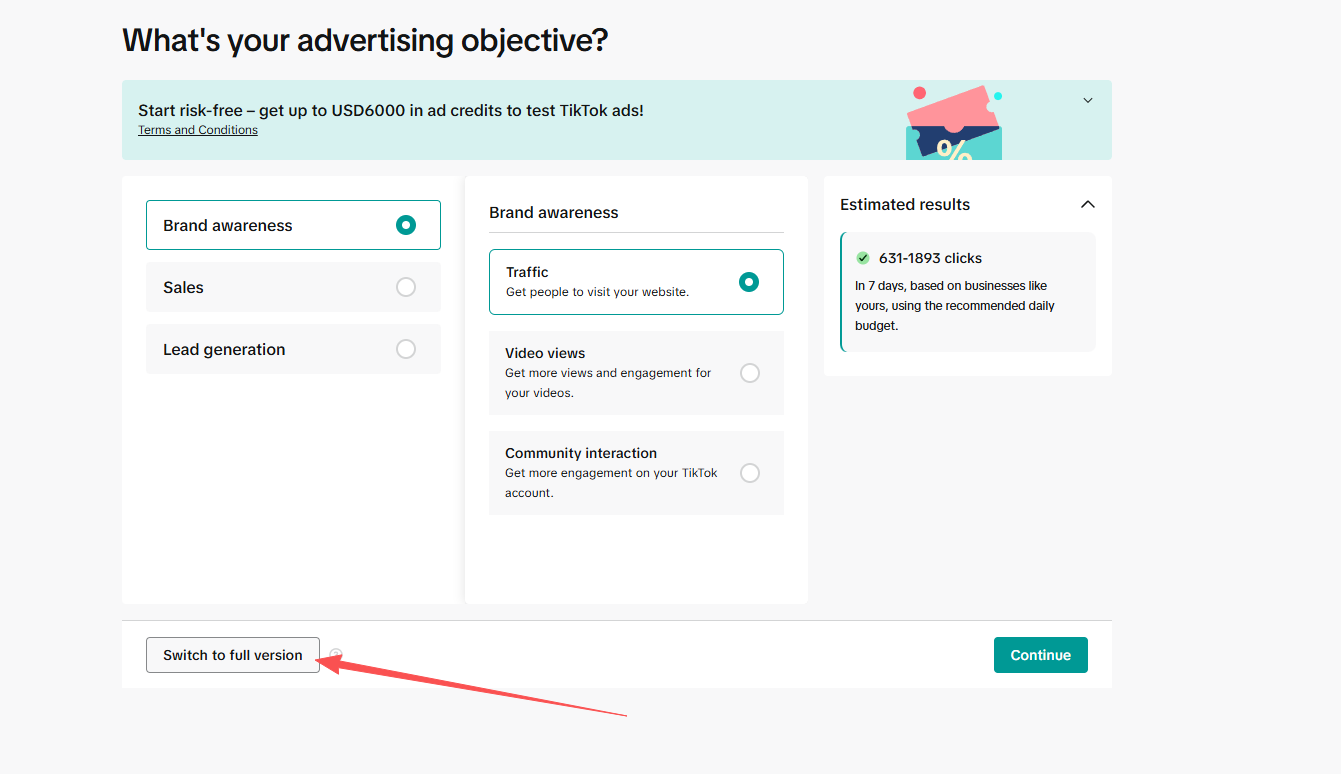
Then choose Community interaction and continue.
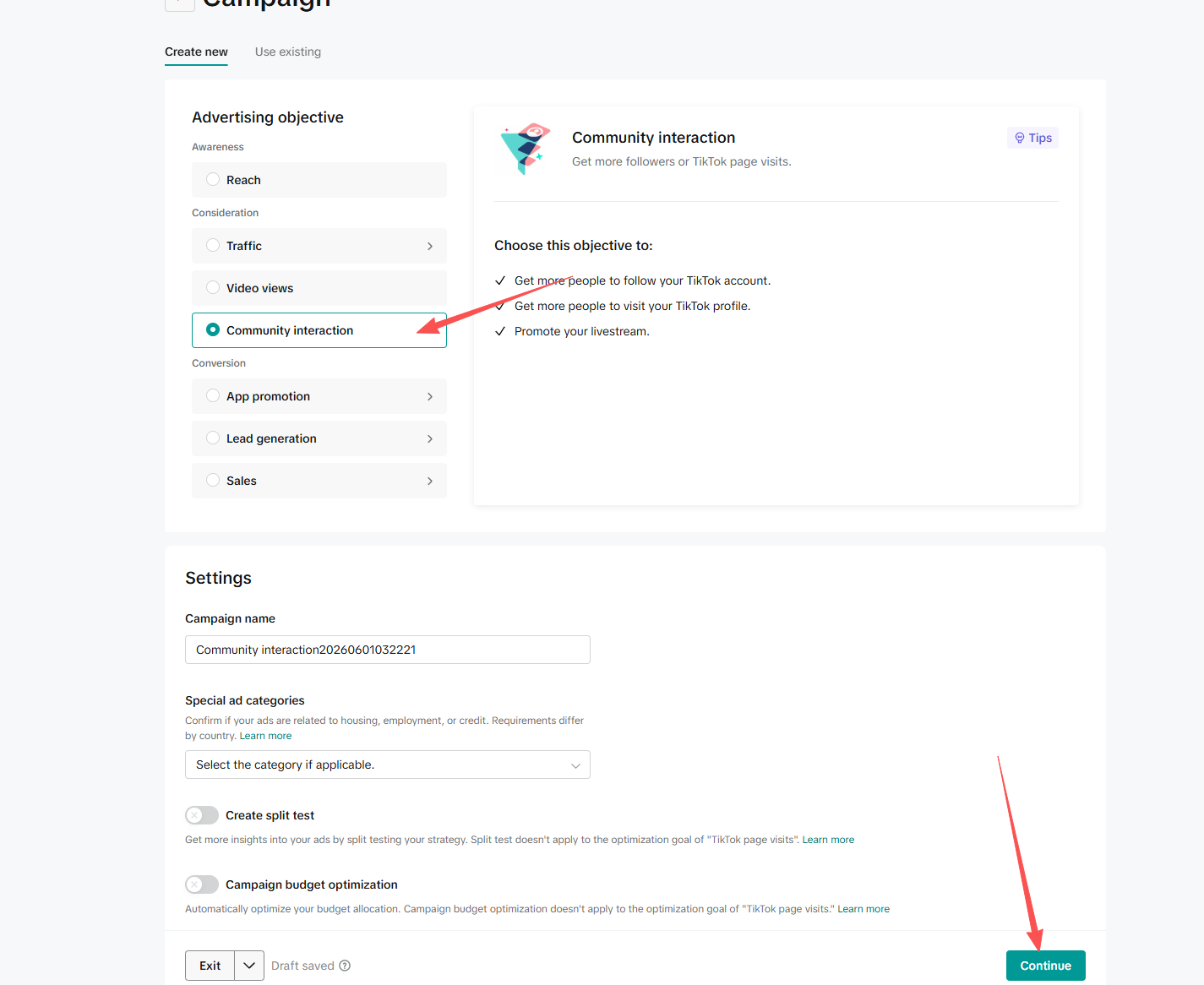
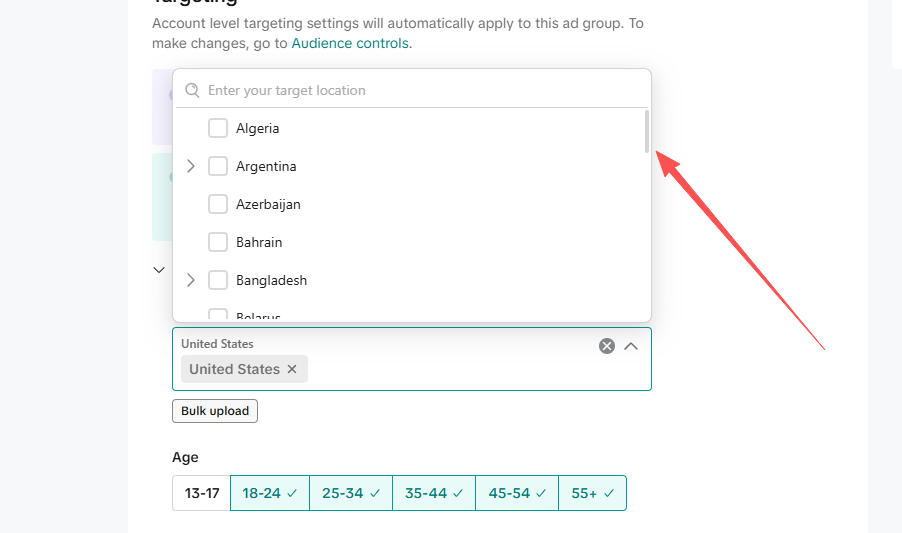
Check the current location dropdown
Before changing anything, open the country or region selector in the ad group settings and note what is currently available. This gives you a baseline for comparing after activation.
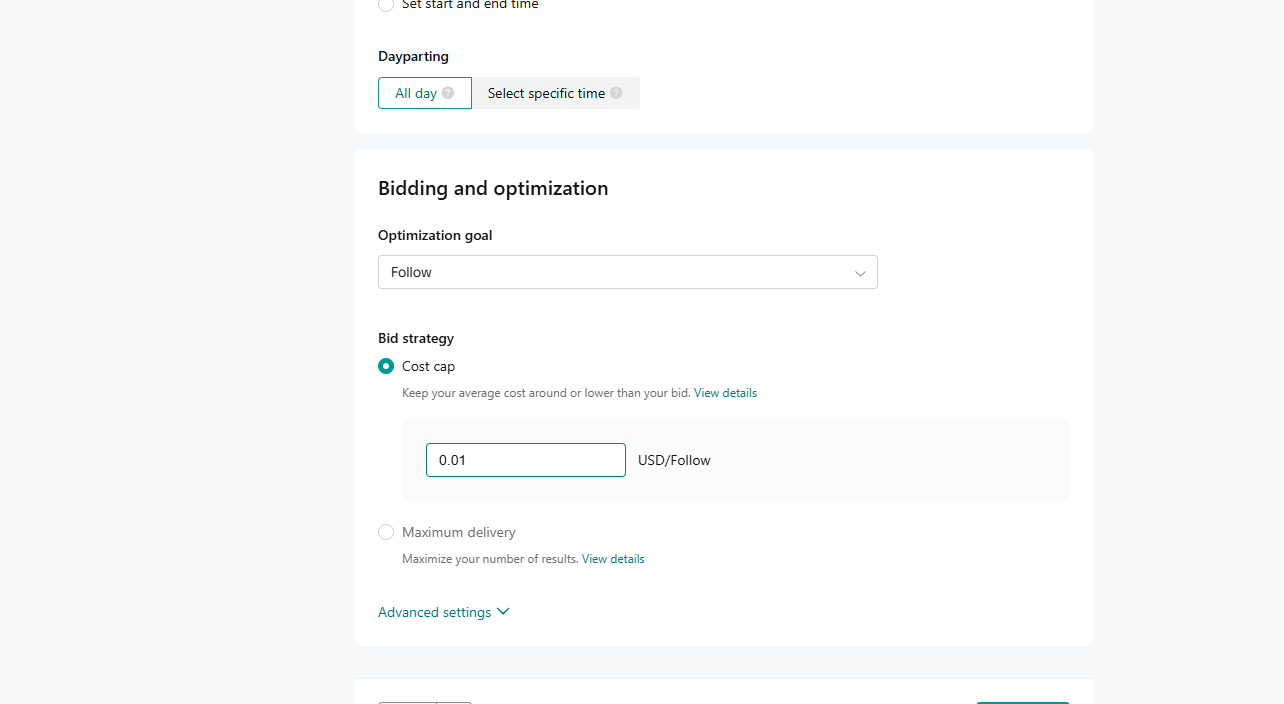
Set a very low cost cap
In Bidding and optimization, choose Cost cap and set the cost per result to 0.01. The point is not to spend meaningful budget. The point is to submit a valid ad action through the account.
Add a new TikTok post code
In the creative step, choose TikTok posts, add a post, and paste a new TikTok post code. Use a new post code rather than repeatedly recycling an old one, especially if the account has an active coupon.
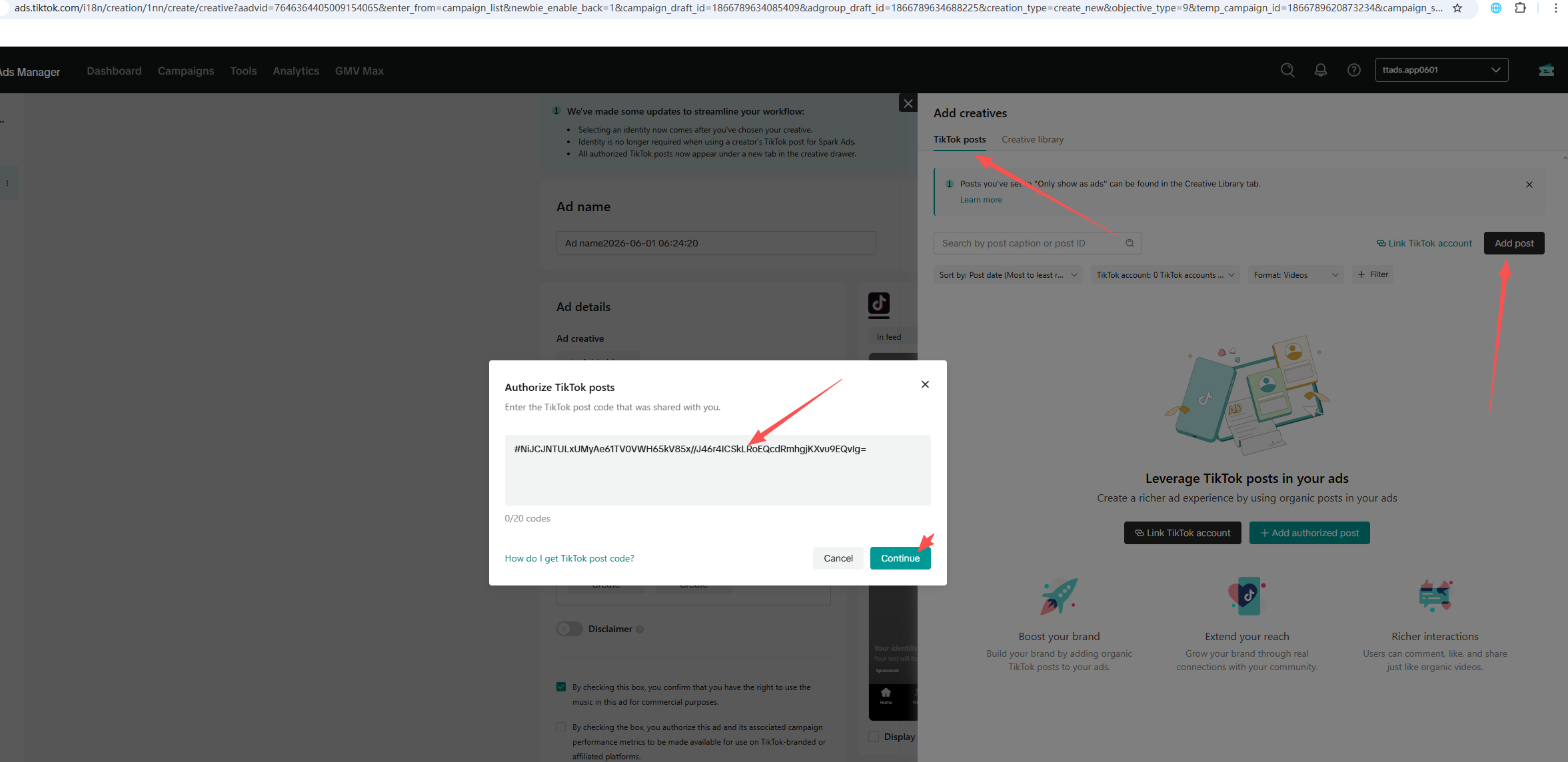
Review the creative and authorization settings, then publish the ad.
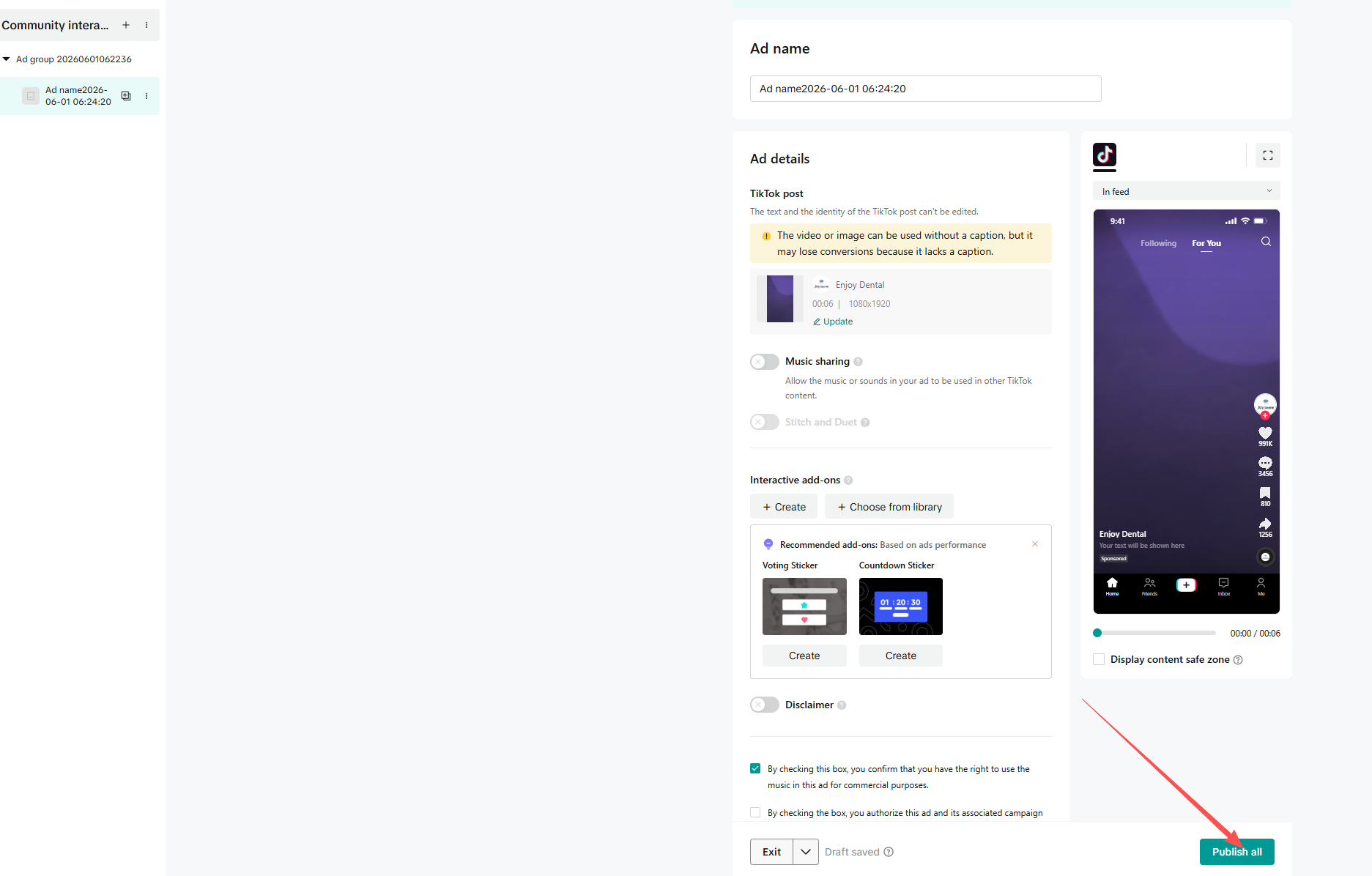
Wait and recheck locations
After publishing, wait a few minutes. Then create a new ad again and return to the ad group location selector. Check whether additional countries or regions have appeared.
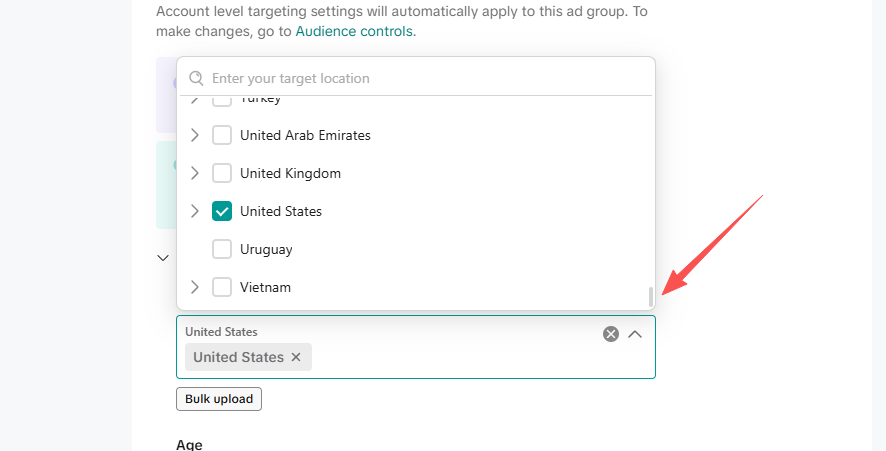
If the list does not refresh immediately, wait longer, log in again, or check the account state. Payment issues, review blocks, IP environment, account limits, or regional restrictions can all affect the result.
Close the activation ad
Once you confirm the targeting list has refreshed, turn off or delete the community interaction ad. It was only used for activation. For real delivery, create a clean campaign with the correct objective, market, creative, and budget.
Practical notes
Use this as an account readiness check, not as a loophole. Available locations are ultimately controlled by TikTok Ads Manager. If a market is not available in your account, the safest path is to adjust account setup or use a properly supported account for that market.
FAQ
Does this guarantee every country will appear?
No. Available locations still depend on the account's registration country, account status, placement, payment setup, and TikTok's current rules.
Why use a community interaction ad?
The goal is to complete a valid ad creation and submission action at very low cost, which can help a new account finish basic delivery activation.
Should the activation ad keep running?
No. Once the location list refreshes, turn off or delete the activation ad and build formal campaigns for real delivery.