TikTok Ads New Advertiser Incentive: Spend $10,000, Get $6,000
The updated TikTok Ads incentive has four tiers: spend $200/get $200, $1,000/$750, $4,000/$3,000 or $10,000/$6,000. Check your account's promotion terms before spending.
TL;DR
The updated new advertiser incentive has four tiers: Spend $200, Get $200; Spend $1,000, Get $750; Spend $4,000, Get $3,000; Spend $10,000, Get $6,000. Register through the relevant offer entry and confirm eligibility, the spend window and credit issuance terms in TikTok Ads Manager before spending.
What the offer actually is
The TikTok For Business new advertiser incentive across relevant channels now has four tiers, with a top tier of Spend $10,000, Get $6,000. You spend your own budget first, and TikTok issues the corresponding ad credit according to the promotion rules shown for your account.
It is not cash, and it should not be treated like general account balance. The credit is normally limited by eligibility, earning window, expiry date, account status, and qualifying campaign rules.
The updated tiers take effect immediately across relevant channels. Amounts below are in USD:
- Spend $200, get $200.
- Spend $1,000, get $750.
- Spend $4,000, get $3,000.
- Spend $10,000, get $6,000.
These tiers replace the previous five-tier schedule. Before spending, check the promotion attached to your account for eligibility, qualifying spend, credit issuance timing and expiry. For an already enrolled account, check its displayed terms to confirm which schedule applies.
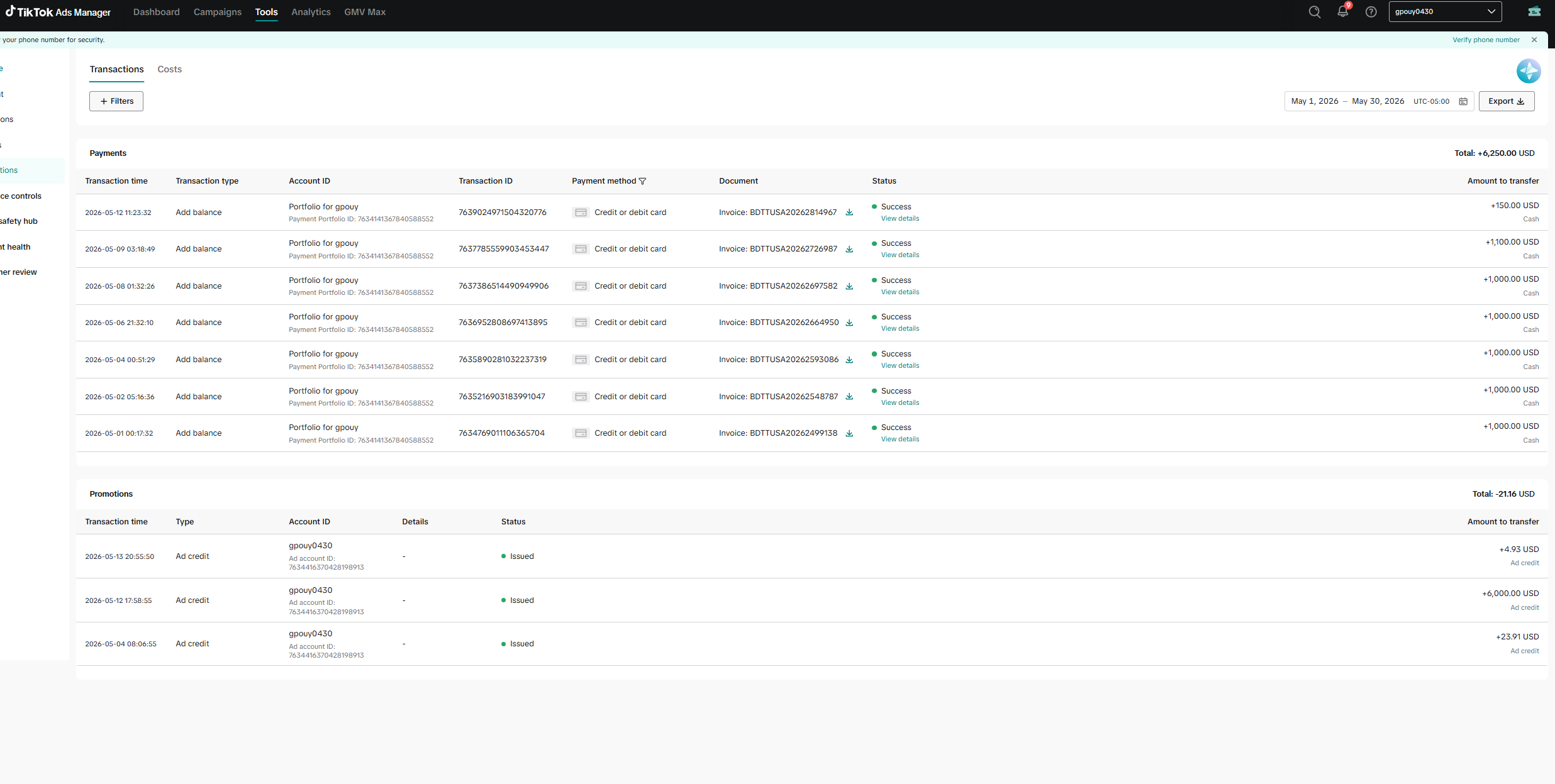
Historical screenshot: an earlier promotion’s billing and credit records, shown only to help locate issued credit. It does not establish the current spend thresholds or issuance terms.
Register from the correct offer entry
Do not create a random ad account first and assume the offer will attach later. Start from the offer entry on ttoh.app, complete the TikTok Ads account registration flow, and keep screenshots of the registration path.
The account region matters. It affects tax, currency, supported payment methods, available targeting locations, and which promotions are visible. If you plan to run multiple non-US markets, read the account setup guide first: TikTok Ads account registration and payment setup.
Confirm the promotion before real spend
After entering TikTok Ads Manager, check whether the incentive appears on the home page, in payment prompts, or under the Promotions area. The important point is not whether you remember clicking a link; it is whether TikTok is actually tracking the promotion in the account.
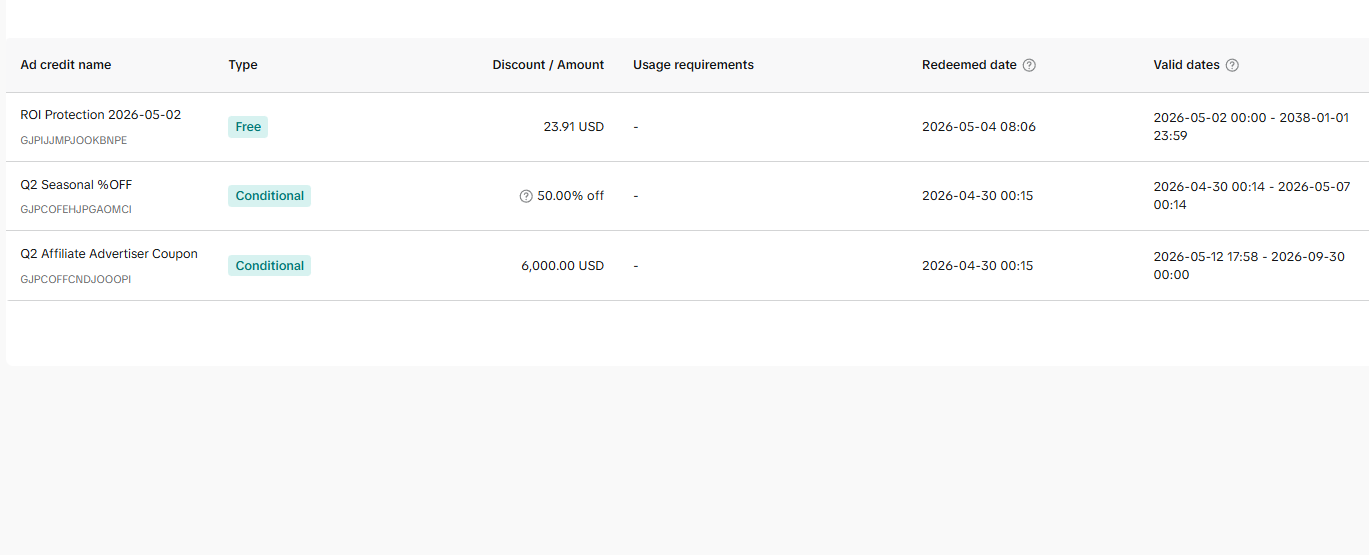
Historical screenshot: the coupon list from an earlier promotion. Amounts and dates are examples, not the updated incentive terms.
If no promotion is visible, pause before adding serious budget. Check the registration link, region, payment status, account review state, and whether the campaign window has already expired.
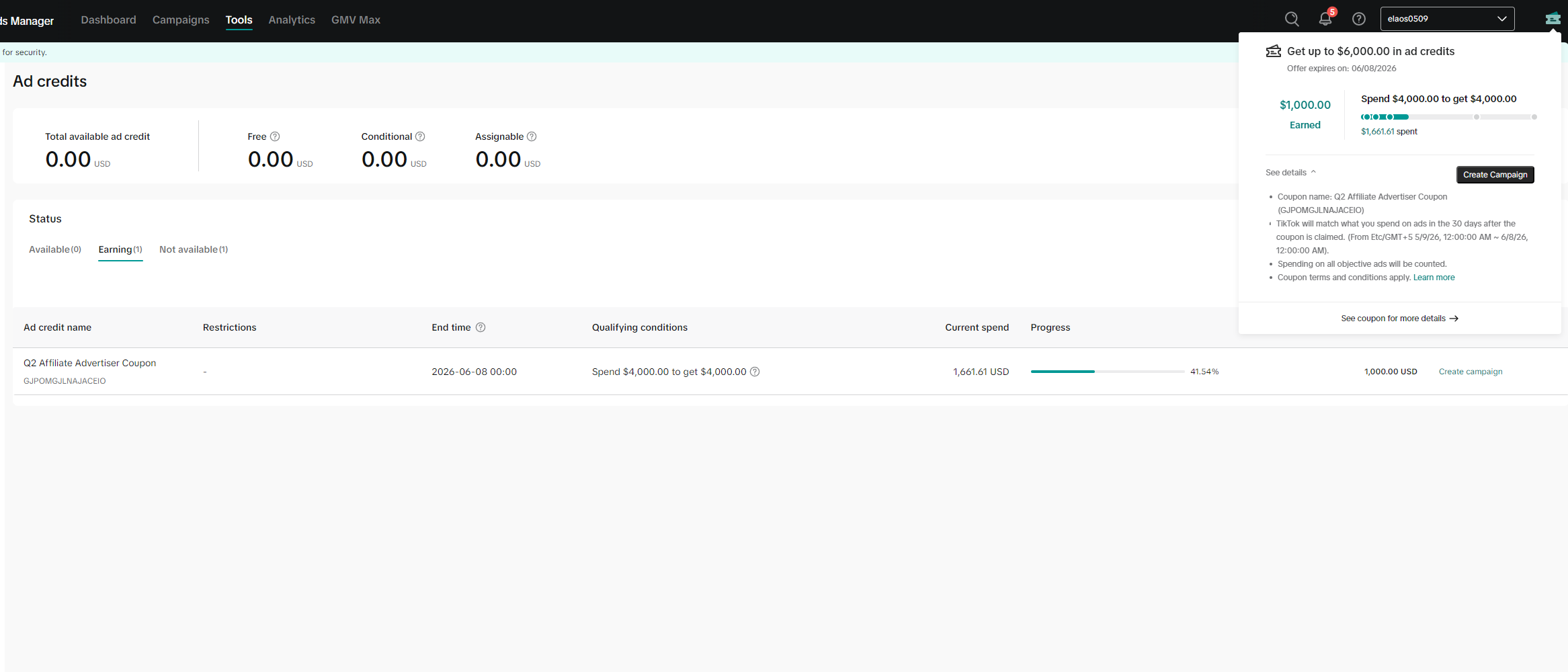
Historical screenshot: this progress popover shows the previous tier schedule. Use the four updated tiers above and the terms displayed for your account.
Bind a stable payment method
Most credit offers require qualified spend paid by the advertiser first. A weak card, repeated payment failure, mismatched billing information, or unstable account environment can create review and eligibility problems.
Start by adding a valid payment method, then run a small test campaign. Confirm these items before scaling:
- Payment can be charged normally.
- Ads pass review.
- Tracking events arrive in Ads Manager.
- Landing pages load consistently.
- The promotion progress updates as expected.
Pace your account’s qualifying spend window
Check the earning window’s start and end dates in your account’s promotion terms; the tier update does not specify a new duration or credit issuance schedule. Do not assume the window starts with your first campaign launch or wait until the final days to push spend. Rushed scaling tends to collide with learning phase, payment limits, creative review, or account checks.
A better rhythm:
- Spend a small amount to verify setup.
- Test several creatives and landing pages.
- Move budget toward the combinations with early proof.
- Increase spend toward the target tier while watching promotion progress.
- Stop chasing the next tier if the account or funnel is unstable.
Use the credit on campaigns with proof
The credit is most useful after your first tests reveal what works. Use your own initial budget to identify winning hooks, offers, audiences, and landing pages. After credit is issued, scale the ad groups that already show usable data.
For new accounts, avoid using the whole incentive as blind test money. The goal is not to burn the coupon; the goal is to extend budget behind a working campaign.
Avoid eligibility issues
Do not repeatedly register duplicate accounts for the same business, domain, card, or environment just to claim the same offer again. Promotion systems can look at account details, domain usage, payment method, device signals, and other risk indicators.
If your plan includes non-US targeting, complete global targeting location activation before a serious launch.
Summary
The offer is won through process, not luck: register through the correct entry, confirm that the promotion is active, bind a stable payment method, pace the earning window, and use the returned credit on campaigns that already have evidence.
FAQ
How much do I need to spend for $6,000 in ad credits?
The updated top tier is Spend $10,000, Get $6,000. Confirm that this incentive is available to your account and check its qualifying spend window in TikTok Ads Manager.
Is the $6,000 credit withdrawable cash?
No. TikTok ad credits have no cash value, are not transferable, and can only be used toward eligible ad spend under the program rules.
Should I spend aggressively on the first day?
No. Start with small test campaigns first so payment, review, tracking, and creative performance are confirmed before you scale toward a tier.
Where can I check whether the promotion is tracking?
Check TikTok Ads Manager under Payments or Promotions. The earning progress and expiration date should be visible before serious spend begins.